482Views
How do I add Bank Account in the Torus Mobile App?
To add a bank account to your Torus digital account, follow the step-by-step instructions provided. You can add up to four bank accounts in total.
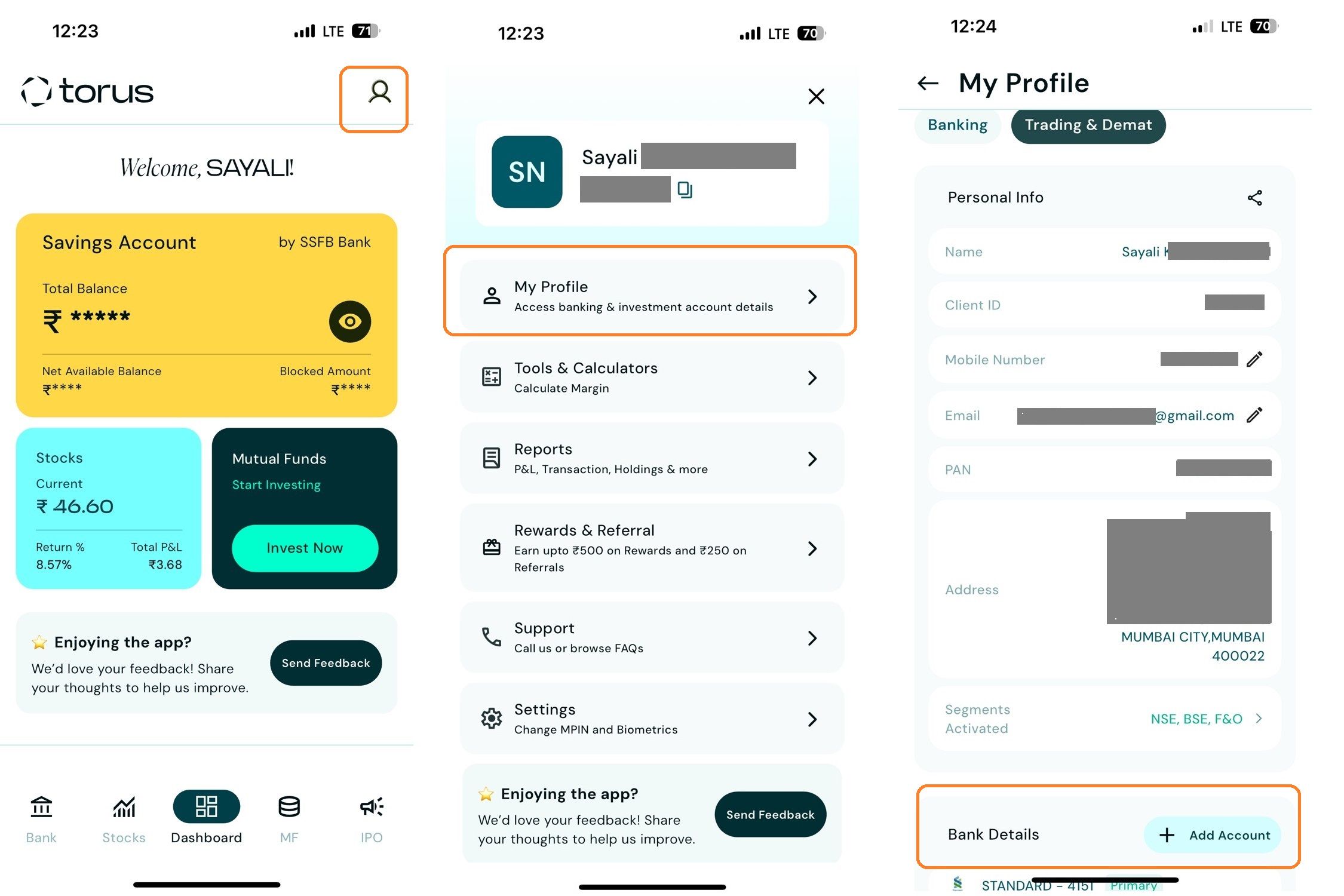
<AH> Step 1: Log in to the Torus Mobile App and tap on the Profile icon. Click on Bank Details.
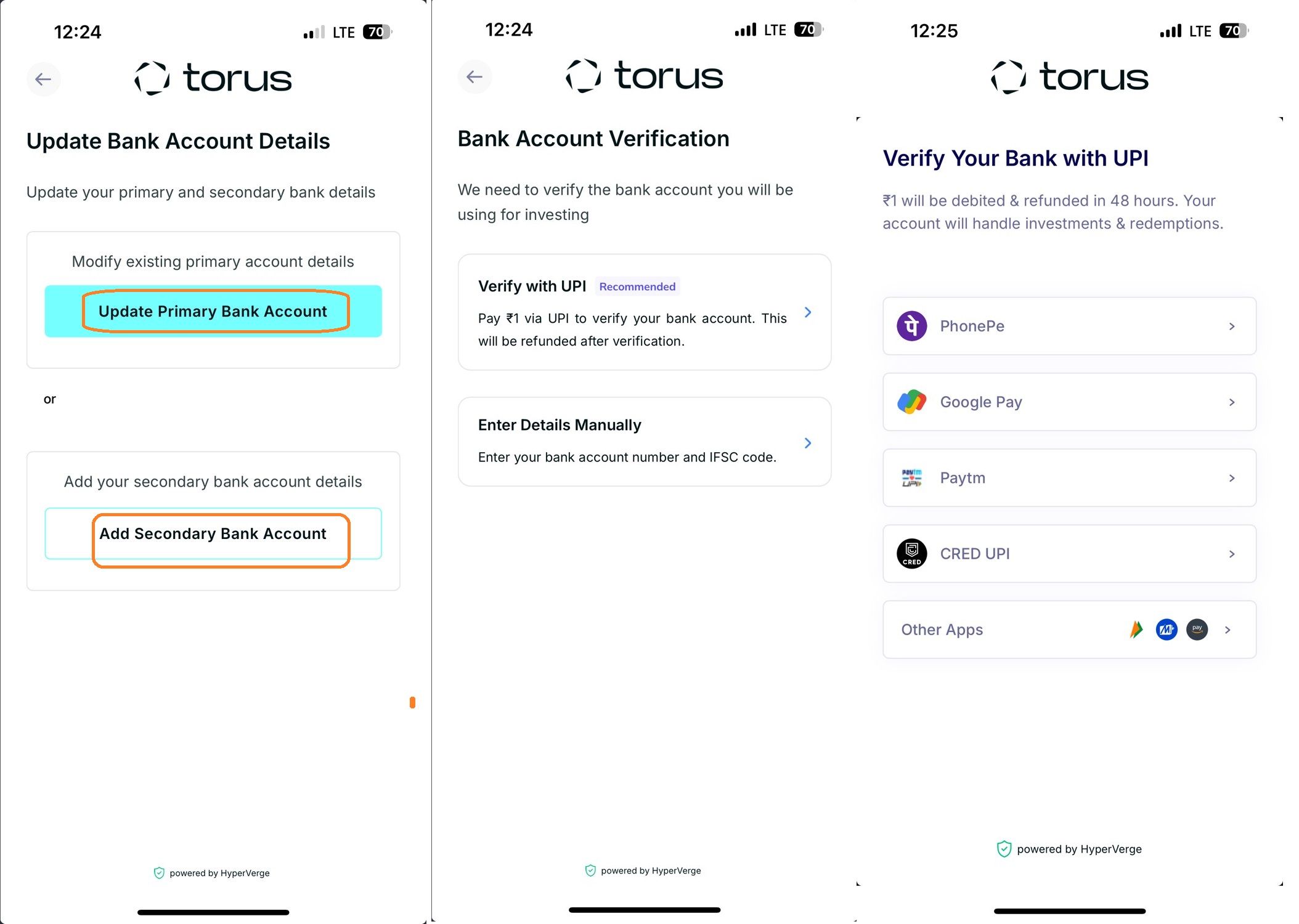
</AH> <AB>![1-2.jpg]() </AB> <AH> Step 2: Go to Bank Details , click Add New Account , enter your bank information or secondary account, choose UPI or Manual Verification, and complete the process.
</AB> <AH> Step 2: Go to Bank Details , click Add New Account , enter your bank information or secondary account, choose UPI or Manual Verification, and complete the process.
</AH>
<AB>![2-1.jpg]()
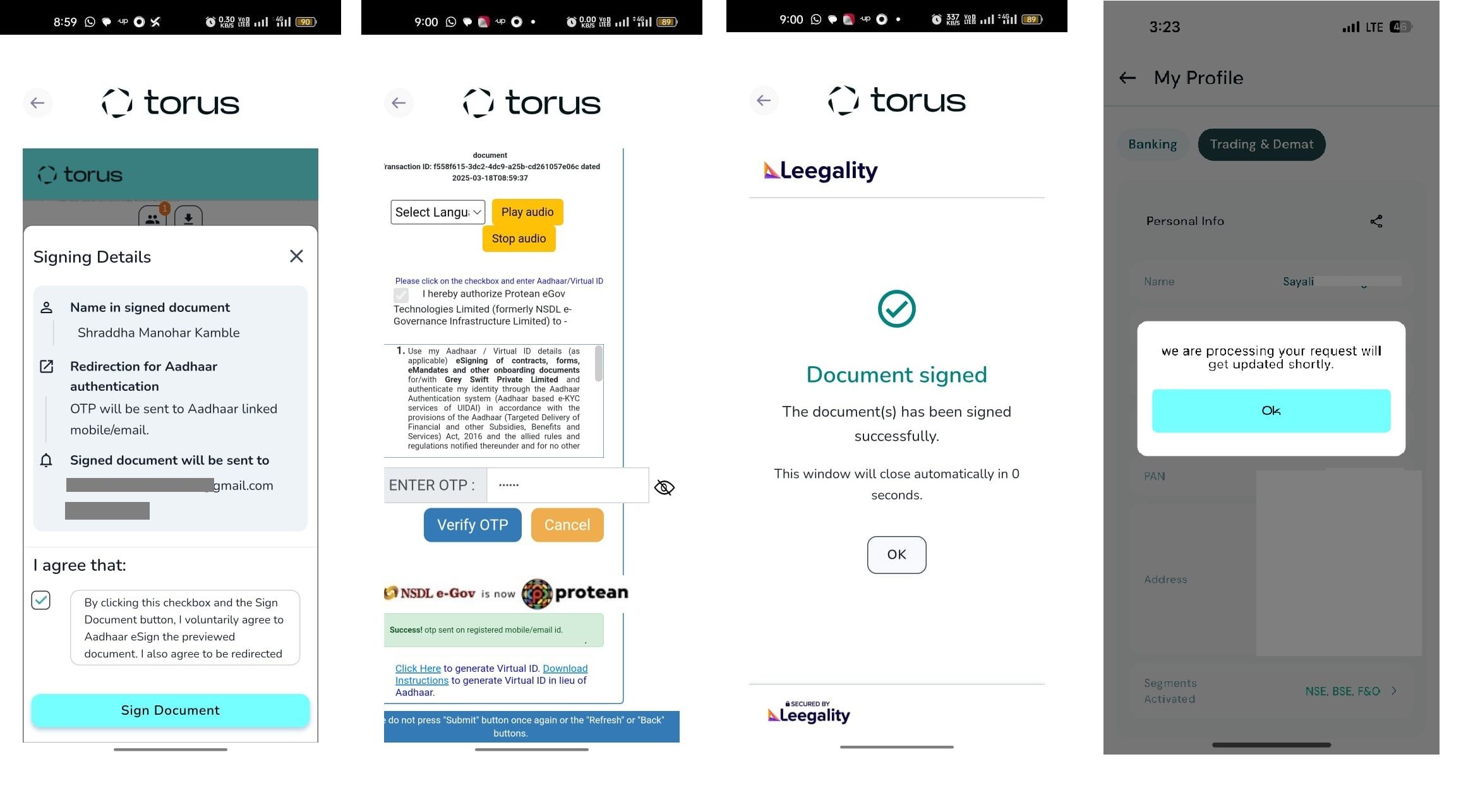
</AB> <AH> Step 3: Once the OTP is verified your modification request will be processed and updated within 24-48 working hours.
</AH> <AB>![3-1.jpg]()
</AB>
<AH> Step 1: Log in to the Torus Mobile App and tap on the Profile icon. Click on Bank Details.
</AH> <AB>
</AH>
<AB>
</AB> <AH> Step 3: Once the OTP is verified your modification request will be processed and updated within 24-48 working hours.
</AH> <AB>
</AB>
Last updated: 9 Months Ago


482Views
Account Opening
 How to open an account with Torus Digital?
- How to Open a 2-in-1 Account with Torus Digital?
- How long does it take to open an account?
- Can I start trading immediately after completing the account opening process?
- Is there a separate account opening process for different segments?
- What are the charges levied at Torus?
- What is the purpose of uploading a signature during the account opening process?
- What is the purpose of uploading a selfie during the Demat account opening process with torus?
- Is account opening with Torus safe? Will my documents and data remain secure and private?
- If I exit the app during account opening, do I have to start over?