586Views
How to change the registered email ID and mobile number ?
You can update your email ID or mobile number through our mobile app. Please follow the steps below.
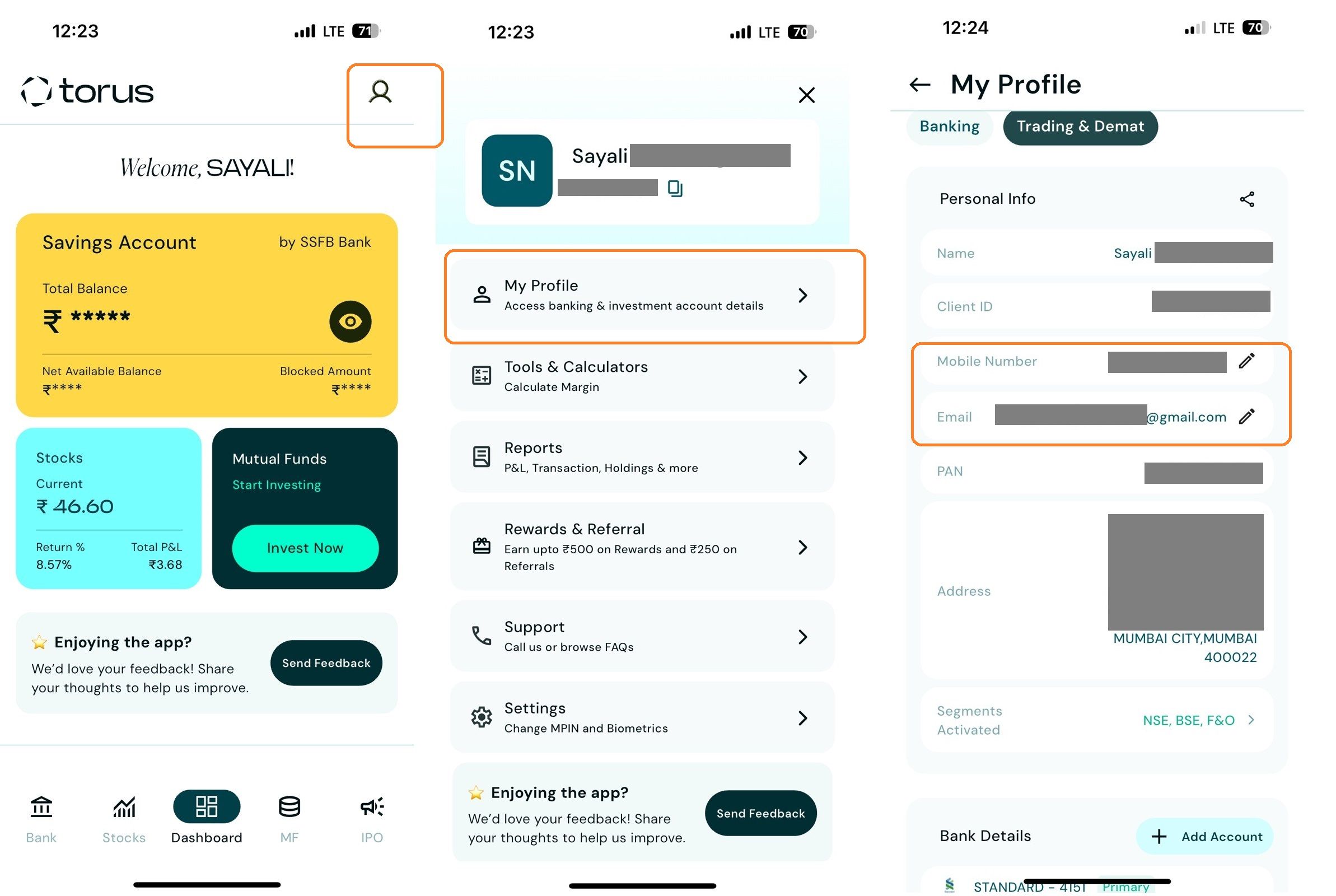
<AH> Step 1: Log in to the Torus App, go to My Profile > Select " Trading & Demat" tab , then click the pencil icon to edit your Mobile Number or Email ID.
</AH>
<AB>![1-3.jpg]()
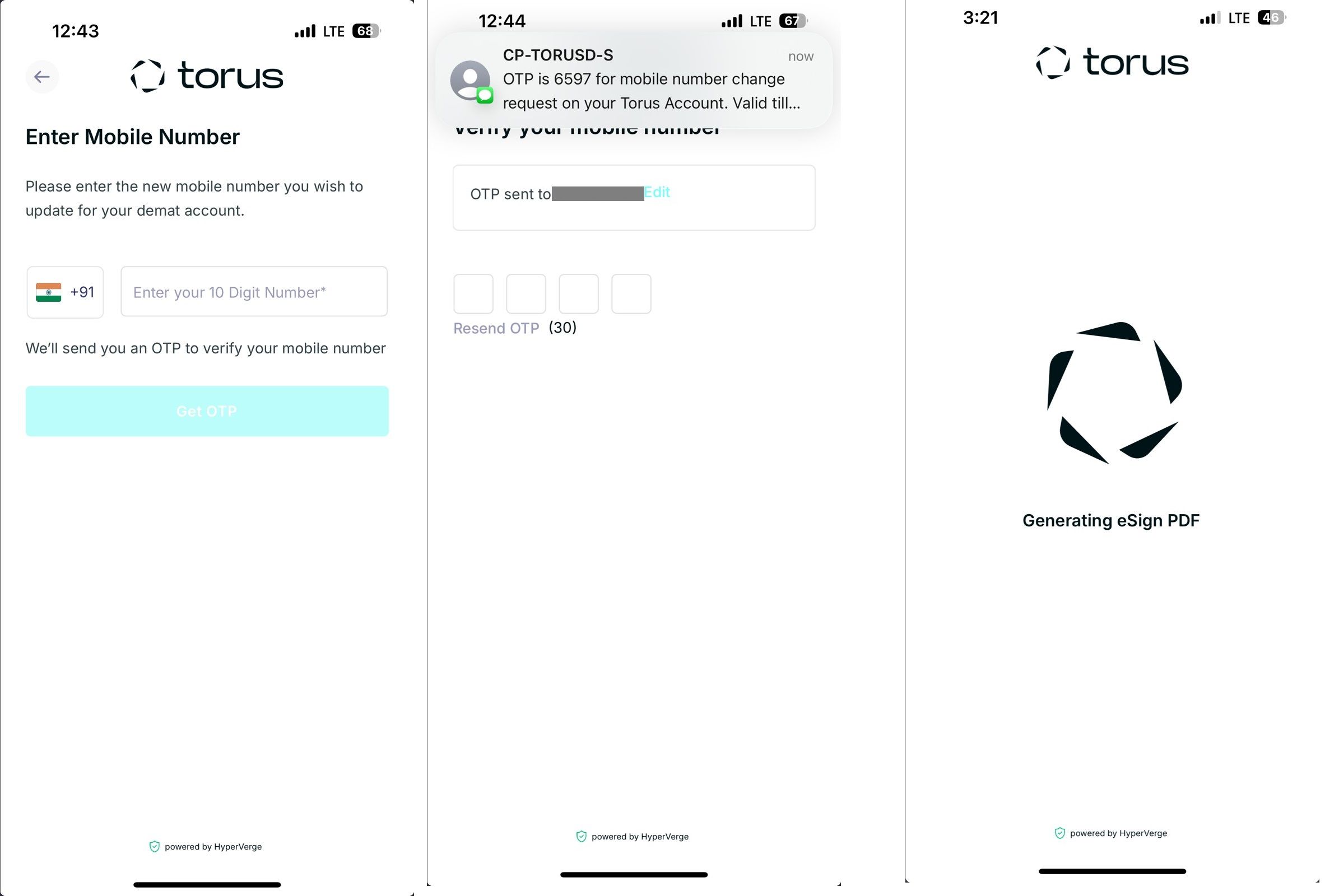
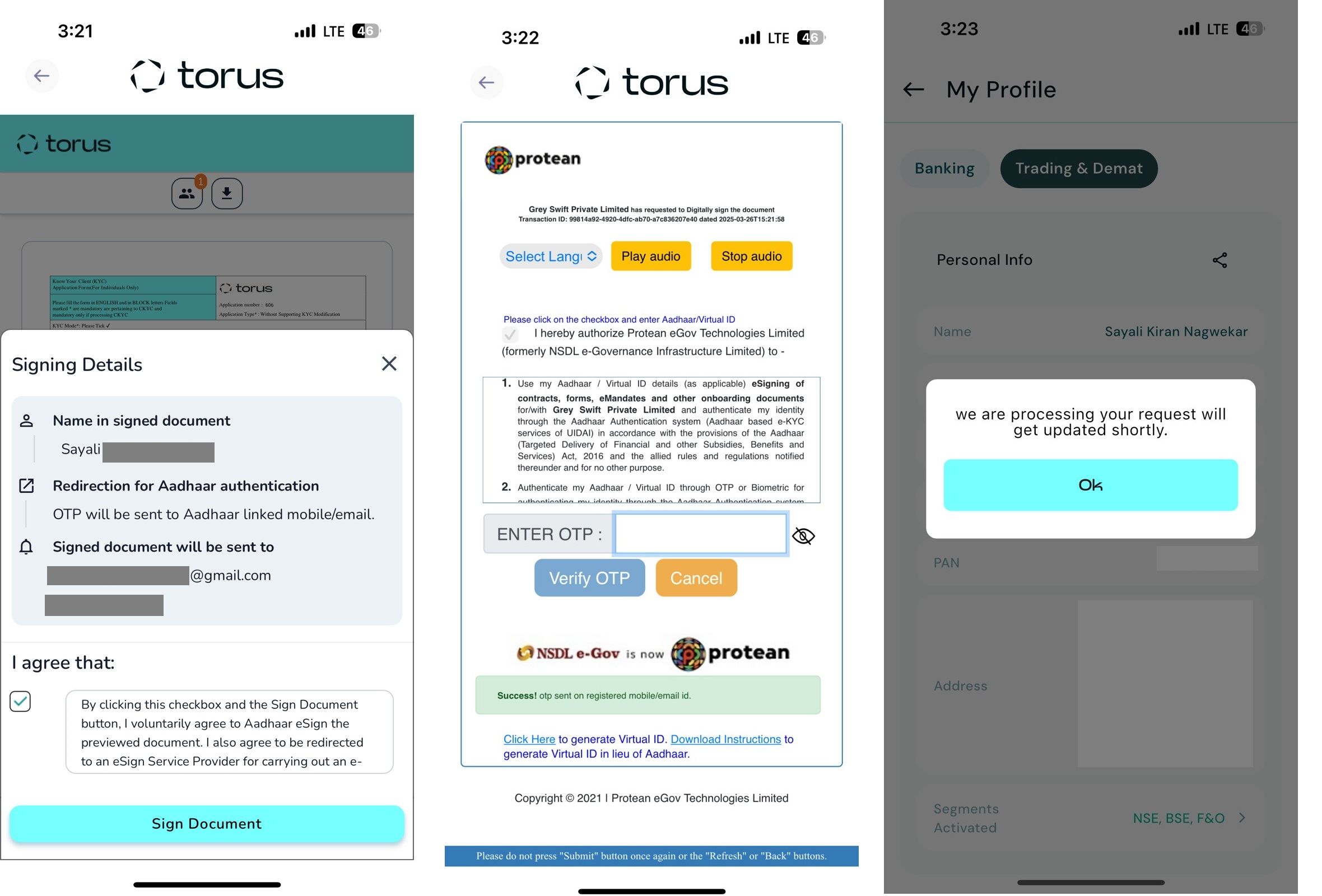
</AB> <AH> Step 2: Enter the new mobile number or email id, verify it using the OTP received, and complete the e-sign process with Aadhaar OTP verification. </AH>
<AB>![2-2.jpg]()
</AB>
<AH> Note- Once the OTP is verified, the changes will reflect within 24-48 working hours. </AH>
<AB>![3-2.jpg]()
</AB>
Related question
How can I modify my mobile number for banking through the Torus Application?
<AH> Step 1: Log in to the Torus App, go to My Profile > Select " Trading & Demat" tab , then click the pencil icon to edit your Mobile Number or Email ID.
</AH>
<AB>
</AB> <AH> Step 2: Enter the new mobile number or email id, verify it using the OTP received, and complete the e-sign process with Aadhaar OTP verification. </AH>
<AB>
</AB>
<AH> Note- Once the OTP is verified, the changes will reflect within 24-48 working hours. </AH>
<AB>
</AB>
Related question
How can I modify my mobile number for banking through the Torus Application?
Last updated: 11 Months Ago


586Views
Account Opening
 How to open an account with Torus Digital?
- How to Open a 2-in-1 Account with Torus Digital?
- How long does it take to open an account?
- Can I start trading immediately after completing the account opening process?
- Is there a separate account opening process for different segments?
- What are the charges levied at Torus?
- What is the purpose of uploading a signature during the account opening process?
- What is the purpose of uploading a selfie during the Demat account opening process with torus?
- Is account opening with Torus safe? Will my documents and data remain secure and private?
- If I exit the app during account opening, do I have to start over?