557Views
How do I unpledge my shares?
To unpledge your shares on the Torus platform, follow these steps:
Step 1 : Log in to your Torus account and navigate to the "My Account" section.
![Unpleadge 2 U.png]()
Step 2 : Select "Pledge and Unpledge" from the menu options.
![Unpleadge 3 U.png]()
Step 3 : Go to the "Unpledge" section within the "Pledge and Unpledge" menu.
![Unpleadge 3 U-1.png]()
Step 4 : Choose the shares you wish to unpledge from your pledged holdings.
![Unpleadge 4 U.png]()
Step 5 : Submit the unpledge request through the platform.
![Unpleadge 5 U.png]()
Once the request is processed, your shares will be released from collateral, allowing you to sell or use them as needed.
Step 1 : Log in to your Torus account and navigate to the "My Account" section.
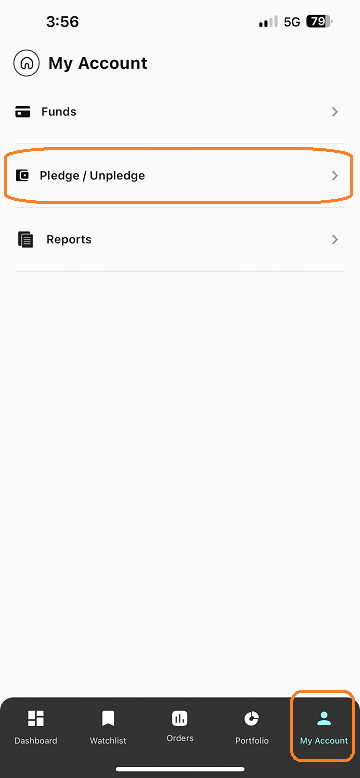
Step 2 : Select "Pledge and Unpledge" from the menu options.
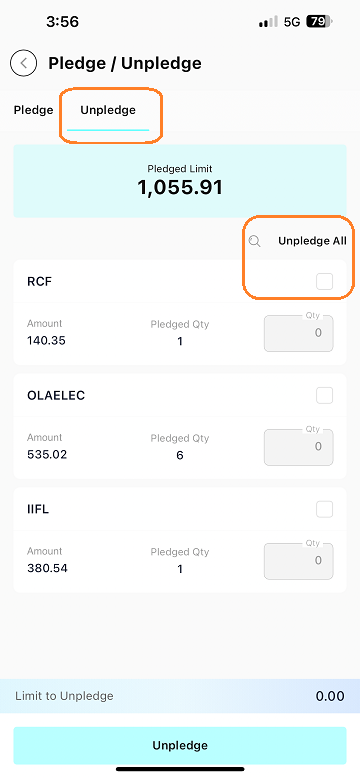
Step 3 : Go to the "Unpledge" section within the "Pledge and Unpledge" menu.
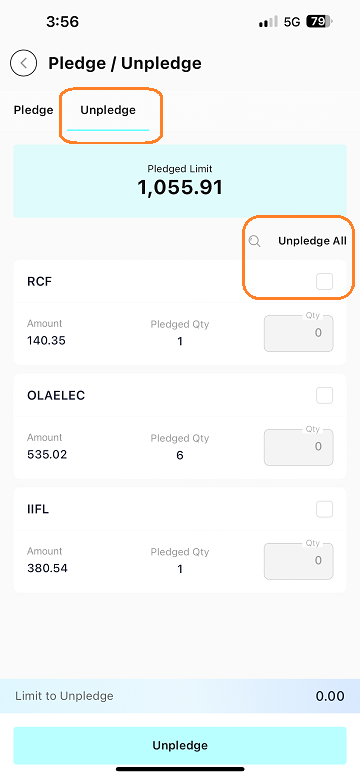
Step 4 : Choose the shares you wish to unpledge from your pledged holdings.
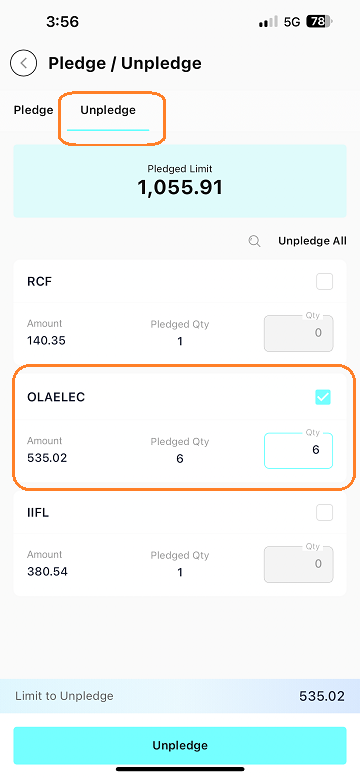
Step 5 : Submit the unpledge request through the platform.
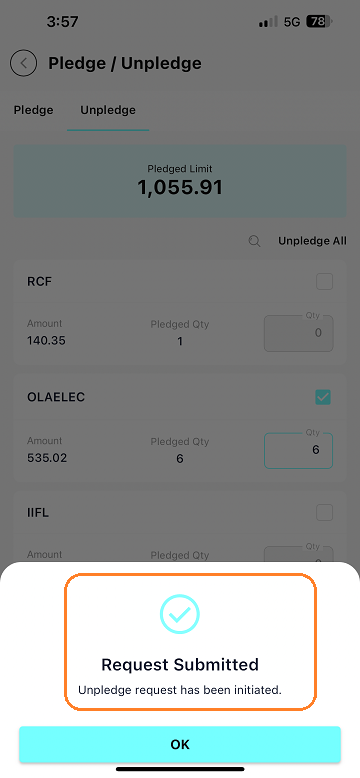
Once the request is processed, your shares will be released from collateral, allowing you to sell or use them as needed.
Last updated: A Year Ago


557Views
Pledge And Margin
 What is the process for pledging shares?
- What are the charges for pledge and unpledge?
- How long does it take to receive limits after pledging?
- How can I check my pledged shares?
- Can I sell shares that are pledged?
- Why have I received less margin when I pledge my shares?
- What is the margin requirement to take an intraday position?
- What is Margin? And what are the types of margin?
- How is a margin statement helpful?